Introducing Customizable Navigation Tabs
Take full control of your community experience by choosing exactly which tabs appear in your community’s navigation bar, tailored to how you want members to engage
What’s New
- Tab Customization for Admins
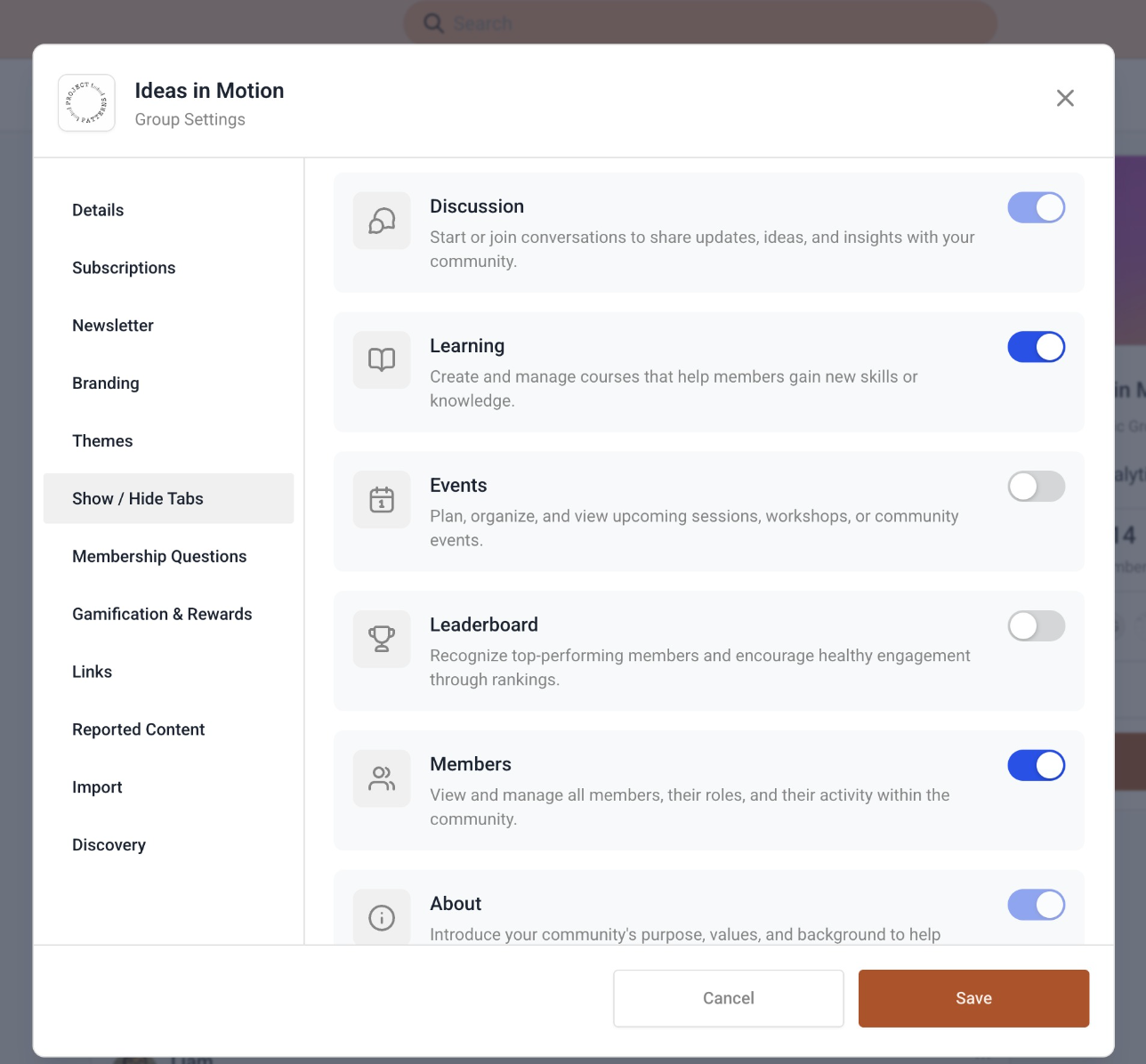
- Community Admins can now enable or disable select navigation tabs directly from Community → Settings.
- Six Core Tabs, Your Choice
Communities support six navigation tabs:
- Discussion – All community posts (always on)
- Learning – Courses and learning content
- Events – Upcoming and past events
- Leaderboard – Top contributors and engagement rankings
- Members – Community members directory
- About – Community details (always on)
Core Tabs Stay Put
To keep communities functional and discoverable, Discussion and About are mandatory and cannot be disabled.
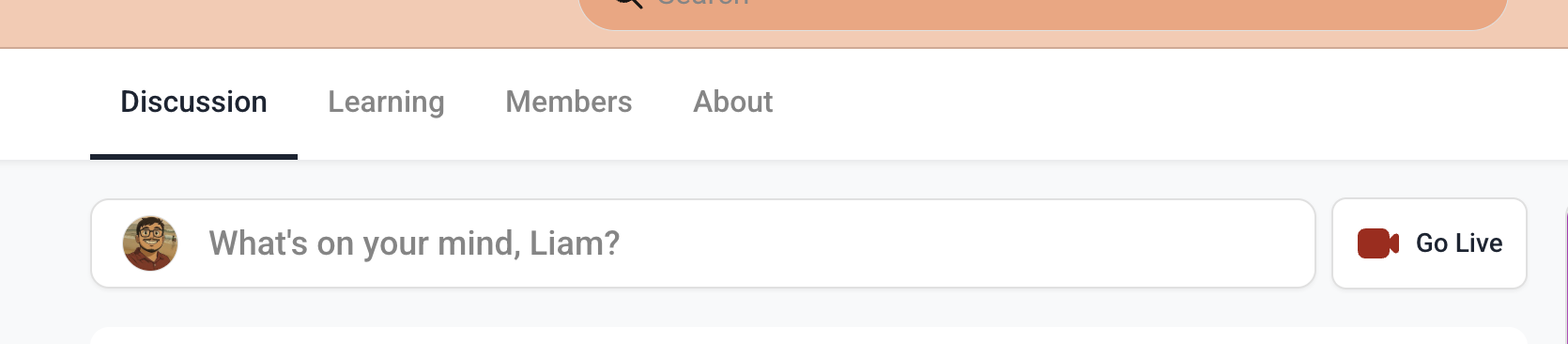
All other tabs can be toggled on or off and instantly hidden from the navigation bar for all members of that community.
How to Use
By default, all tabs are enabled for every community
- Navigate to Community → Settings → Show/Hide Tabs
- Toggle tabs on or off based on your community’s needs
- Changes apply immediately for all users in the community
Was this article helpful?
That’s Great!
Thank you for your feedback
Sorry! We couldn't be helpful
Thank you for your feedback
Feedback sent
We appreciate your effort and will try to fix the article