Custom Values are now supported in
Ad Manager ad copy fields across Meta, Google, and LinkedIn
campaigns.Users can insert reusable business-specific values such as
business name, city, support email, offer name, service area, phone number, or other saved Custom Values
directly into supported ad copy fields.These values resolve in the
campaign preview and review screens
, helping users confirm the final ad content before publishing.What’s New?
- Custom values in ad copy- Users can now insert Custom Values into eligible ad copy fields acrossMeta, Google, and LinkedIncampaigns.
- Insert custom values picker- A new insert option lets users search, select, and add saved Custom Valuesdirectly into supported copy fields such as primary text, headlines, descriptions, and introduction text.
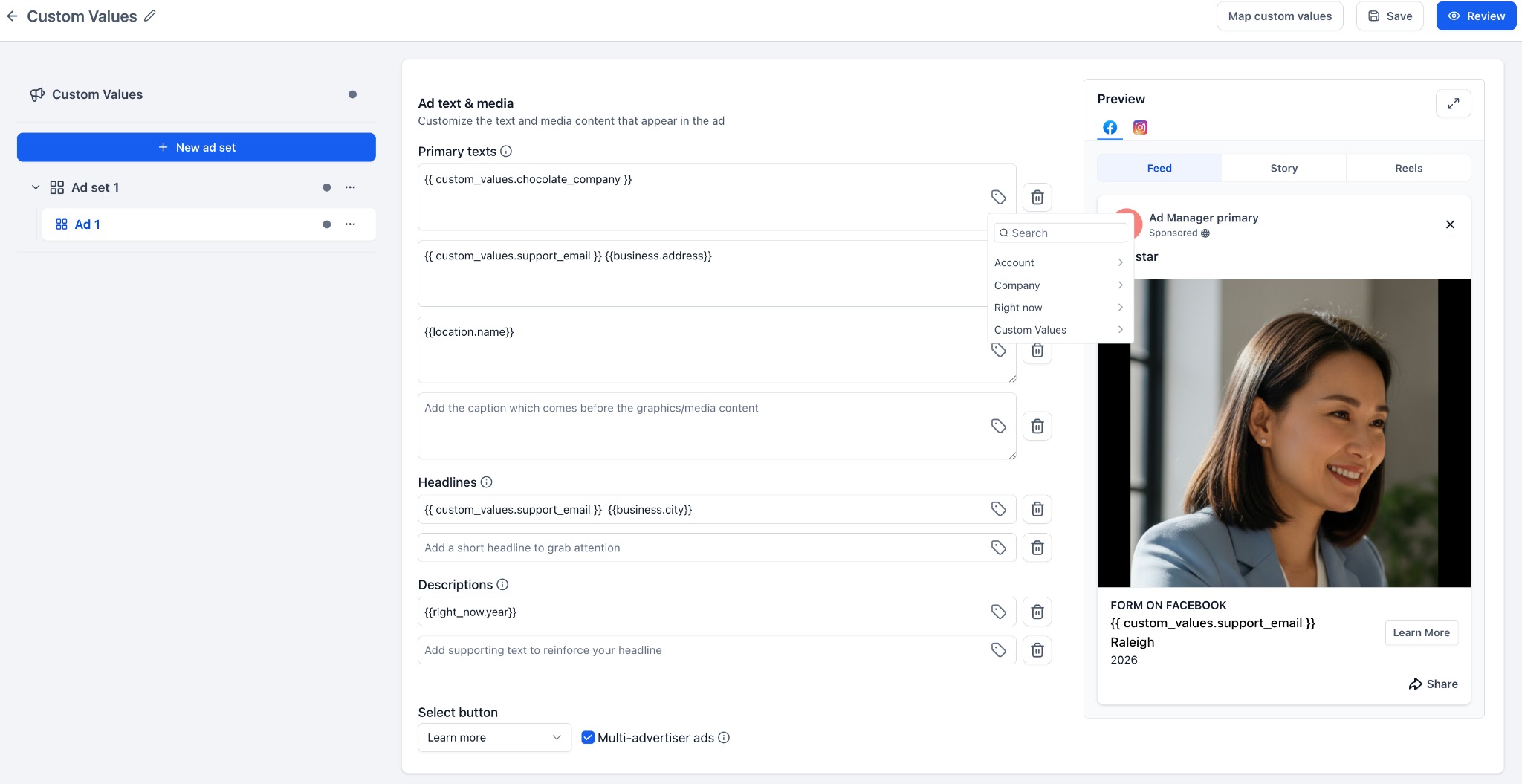
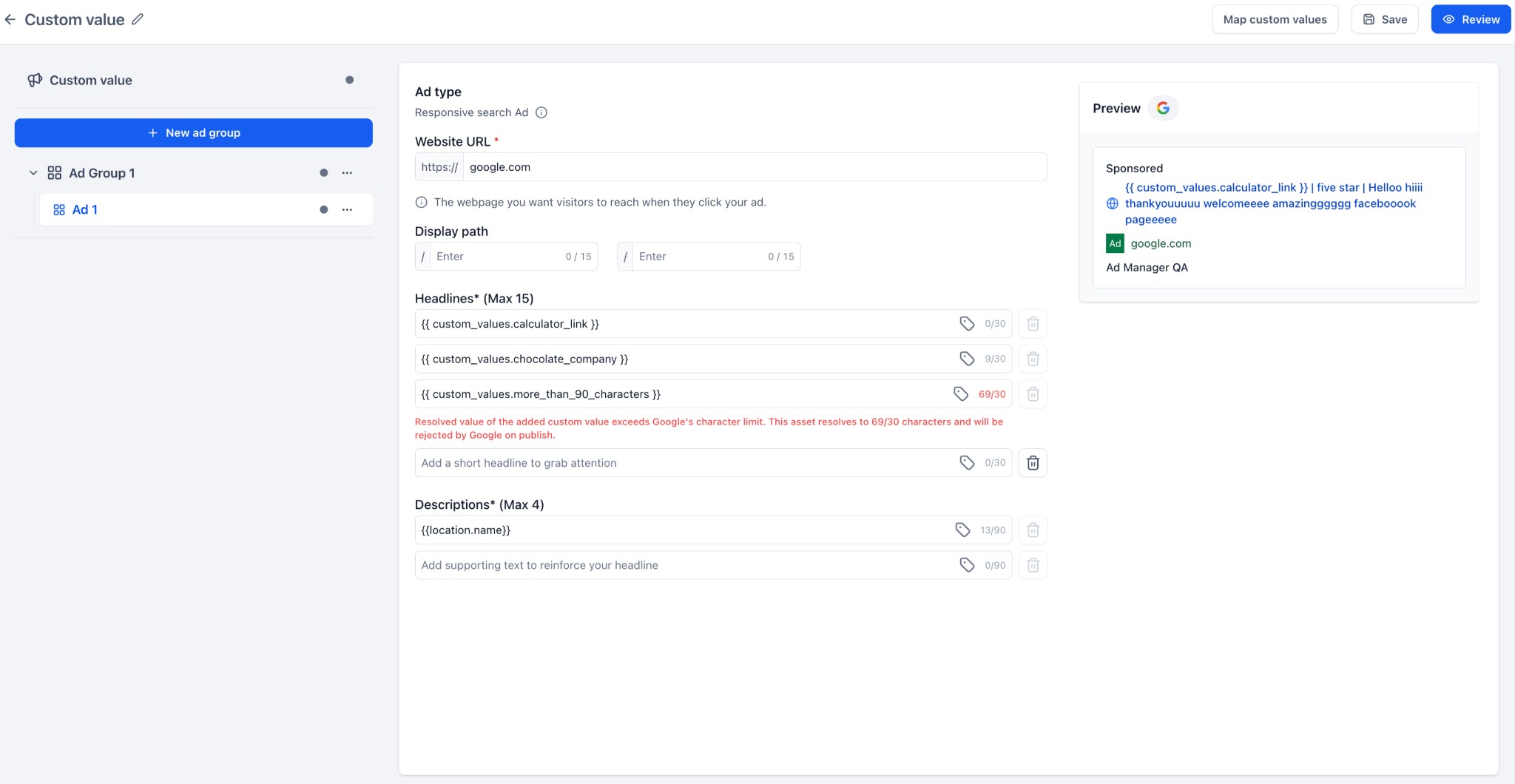
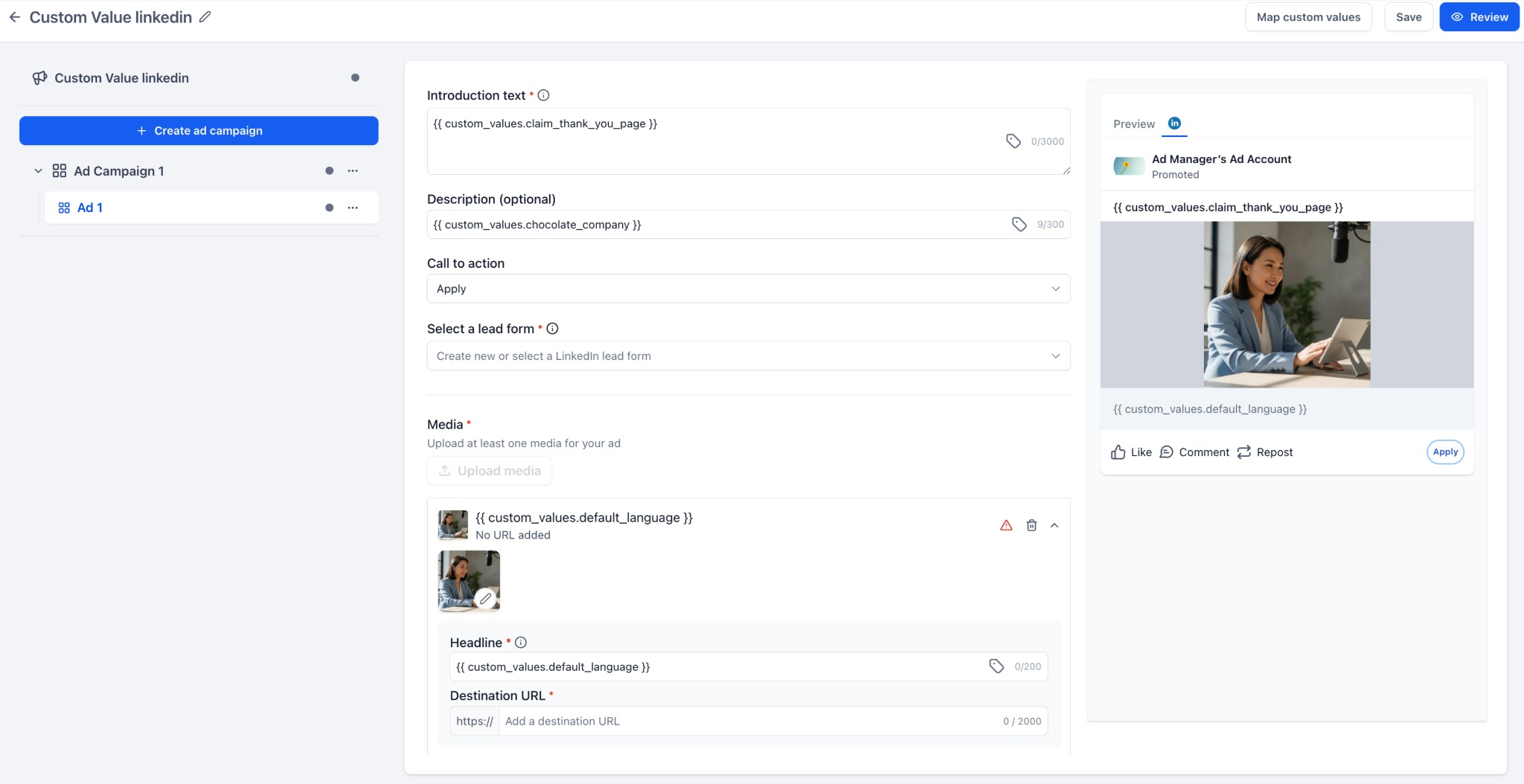
- Map custom values before publishing- The newMap custom valuesaction allows users to add or review missing values used in the campaign before publishing.
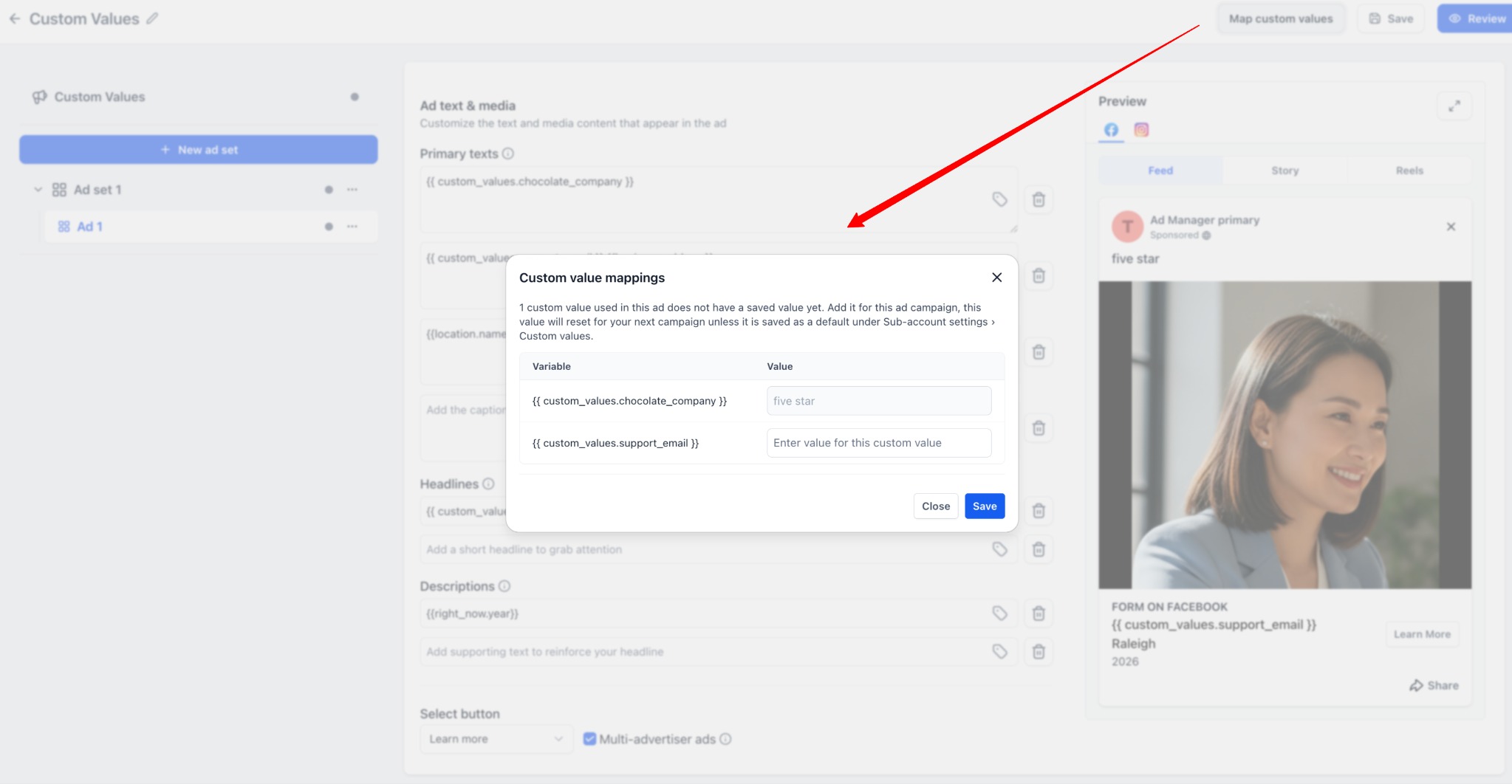
- Resolved preview- Preview and review screens now show thefinal resolved copy, so users can clearly verify what will appear in the published ad.
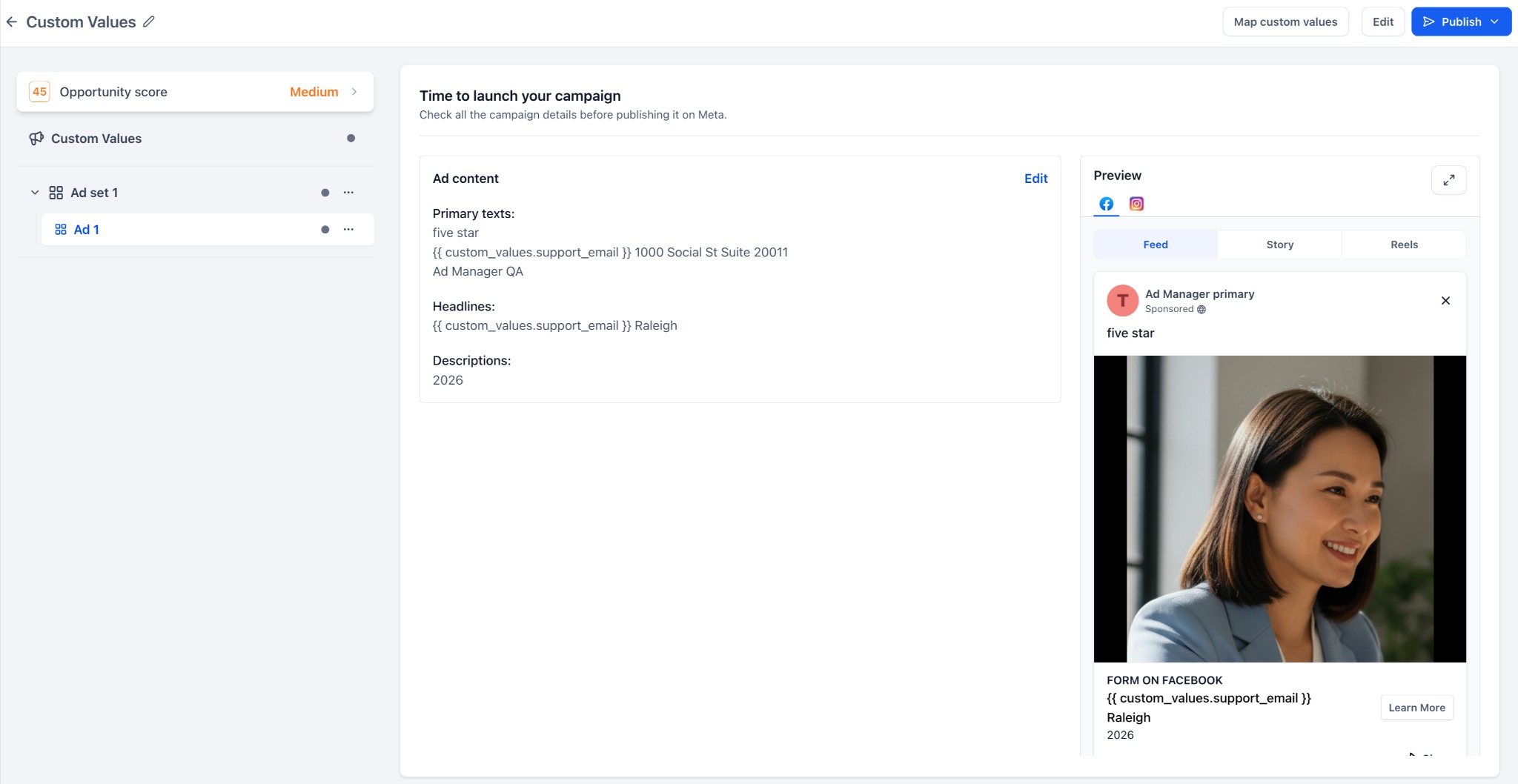
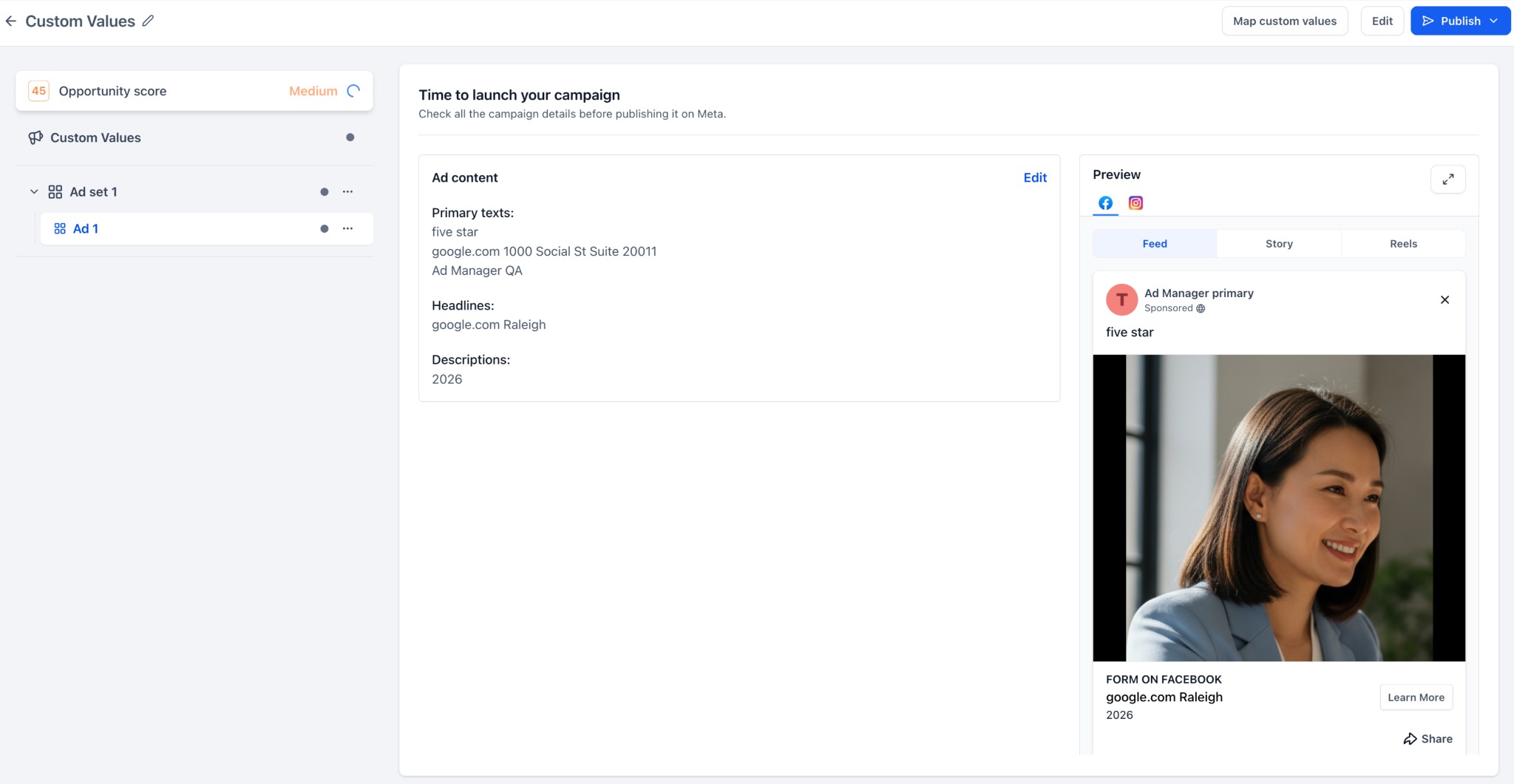
- Validation for safer publishing- Ad Manager now alerts users when Custom Values aremissing, invalid, empty, or exceeding platform character limits, helping prevent publishing issues.
- Reusable templates across accounts- Campaign templates can retain Custom Value keys, making it easier to reuse one template across multiple accounts while mapping client-specific values before launch.
How to Use?
- Go to Ad Manager.
- Create or edit a campaign for Meta, Google, or LinkedIn.
- Open the ad copy section.
- Click the Insert Custom Valuesicon beside a supported copy field.
- Search and select the Custom Value you want to use.
- Continue building the campaign.
- Click Map custom valuesif any value needs to be added or reviewed.
- Review the resolved copy in the preview/review screen.
- Publish the campaign once all validations are cleared.
Why this feature matters
Accounts and businesses often reuse the same details across multiple campaigns, such as: Business name, Location, Phone number, Support email, Service area, Offer name, Promotional copy, etc.
Earlier, these details had to be added manually in every campaign. This created extra work and increased the chances of inconsistent ad copy.
With
Custom Values
in ad copy, users can now:- Create campaigns faster
- Reduce repetitive copy entry
- Keep ad copy consistent
- Reuse templates across accounts
- Preview the final resolved copy before publishing
- Avoid publishing issues caused by missing or invalid values
Notes
- Custom Values are supported only in eligible ad copy fields.
- Custom Values are not supportedin URL fields, CTA dropdowns, lead form selectors, media upload fields, targeting, budget or bid strategy fields.
- Users can save campaigns as draftseven if Custom Values still need attention.
- Warning is providedif required Custom Values are missing, invalid, or exceed character limits.
- Updating a Custom Value after publishing will not automatically update already-running adsand would need a re-publish after changes are done.
Was this article helpful?
That’s Great!
Thank you for your feedback
Sorry! We couldn't be helpful
Thank you for your feedback
Feedback sent
We appreciate your effort and will try to fix the article